
Talos VM on VirtualBox
Below are the instructions for creating a Talos VM inside a VirtualBox host for use with TrueCharts.
Downloading Talos
Section titled “Downloading Talos”Obtain the Talos ISO here by pasting the link into your web browser
Creating the VM
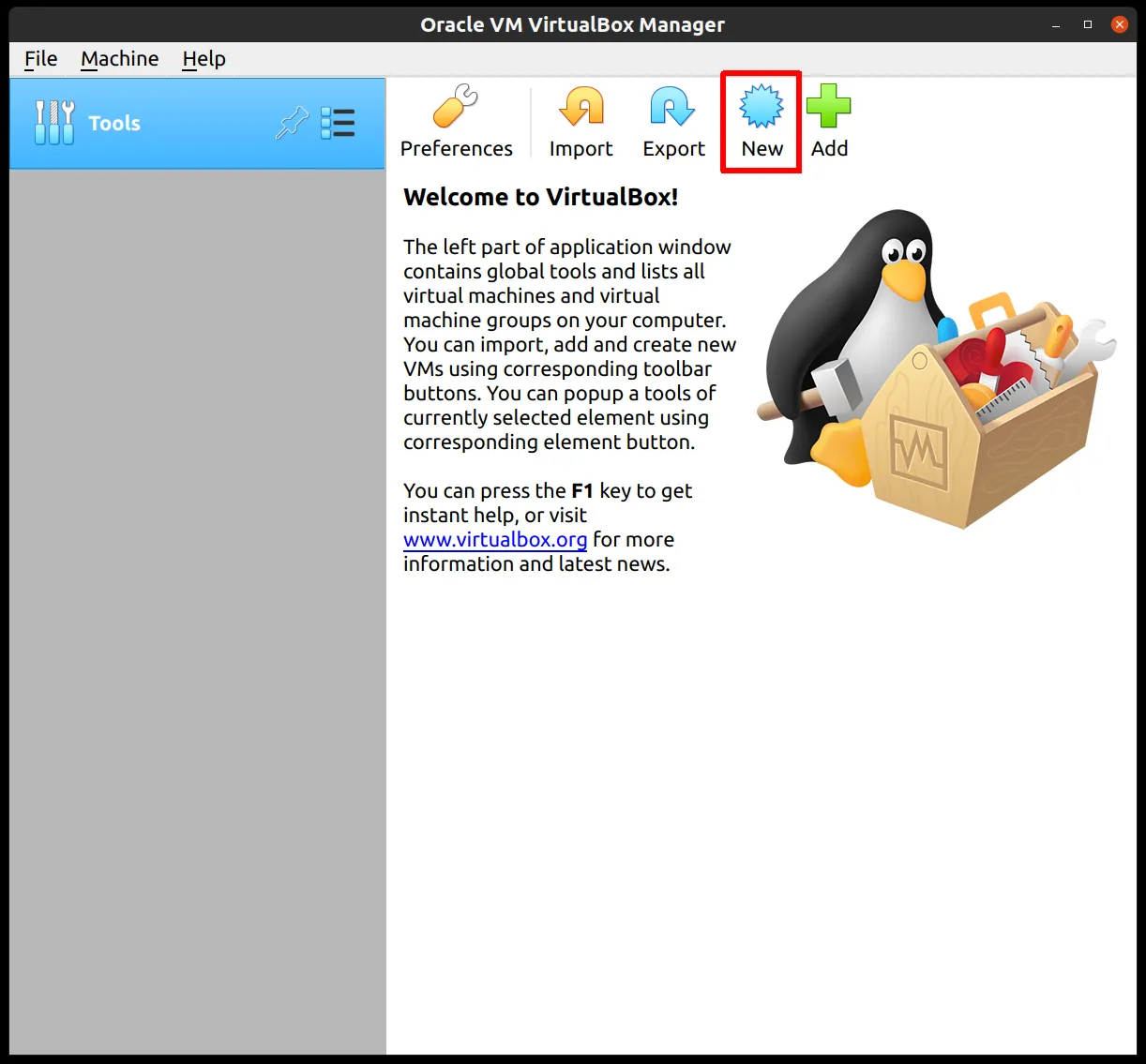
Section titled “Creating the VM”- Start by clicking the
Newbutton in the VirtualBox UI
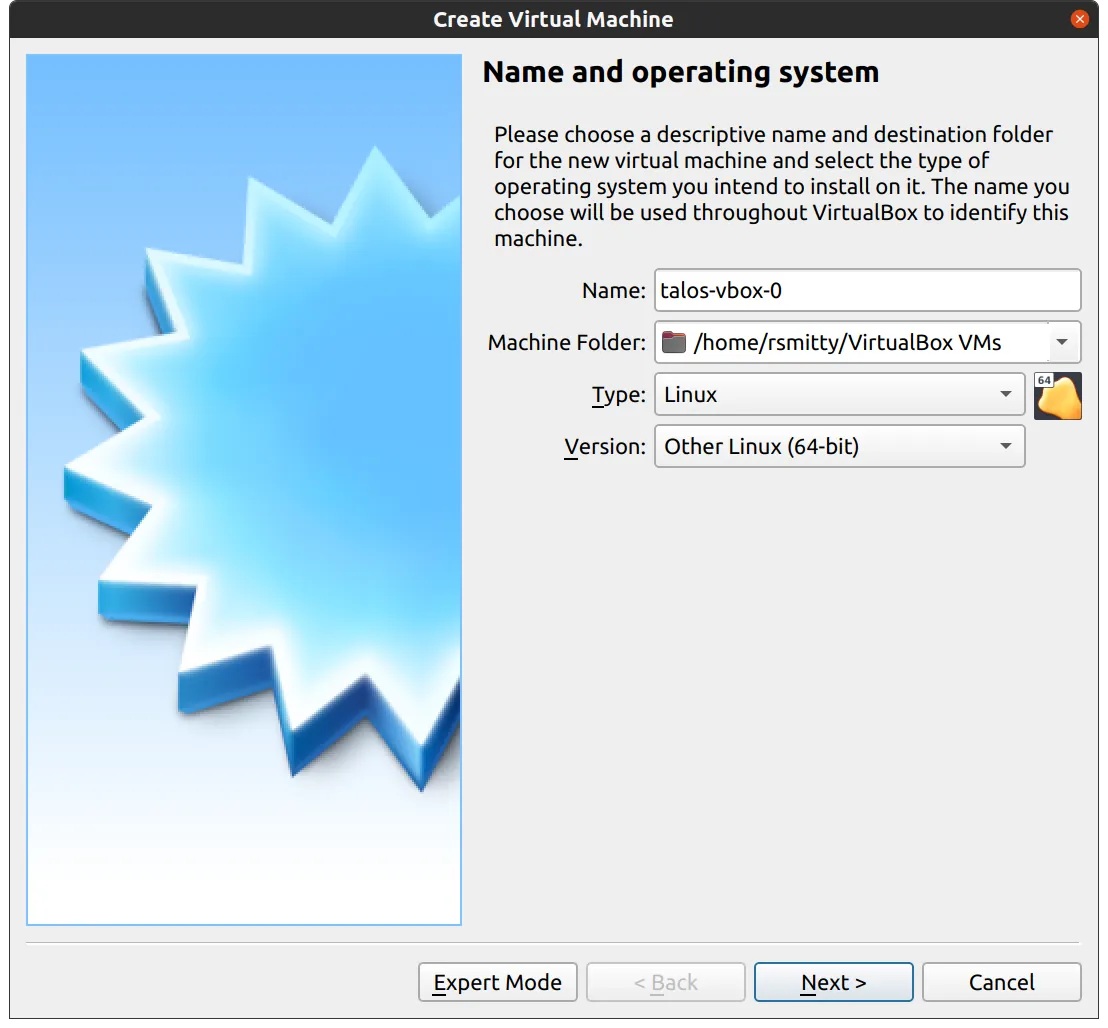
- Supply a name for your new VM, specifying type and version
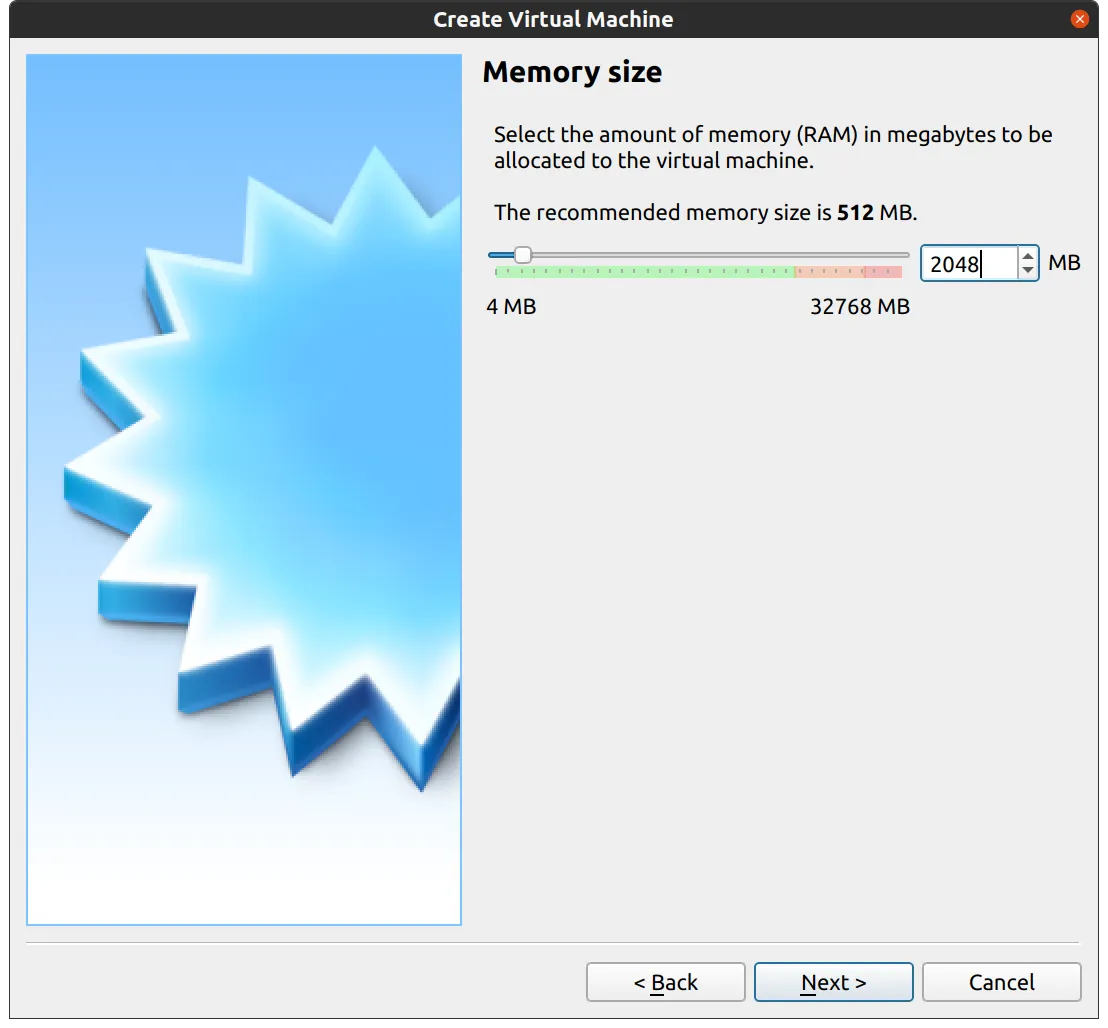
- Edit memory to supply at least a minimum memory value of
8192with the recommended value being16384Megabytes or more
-
Set the disk space to
500GBor1000GB. Keep the remainder as the default -
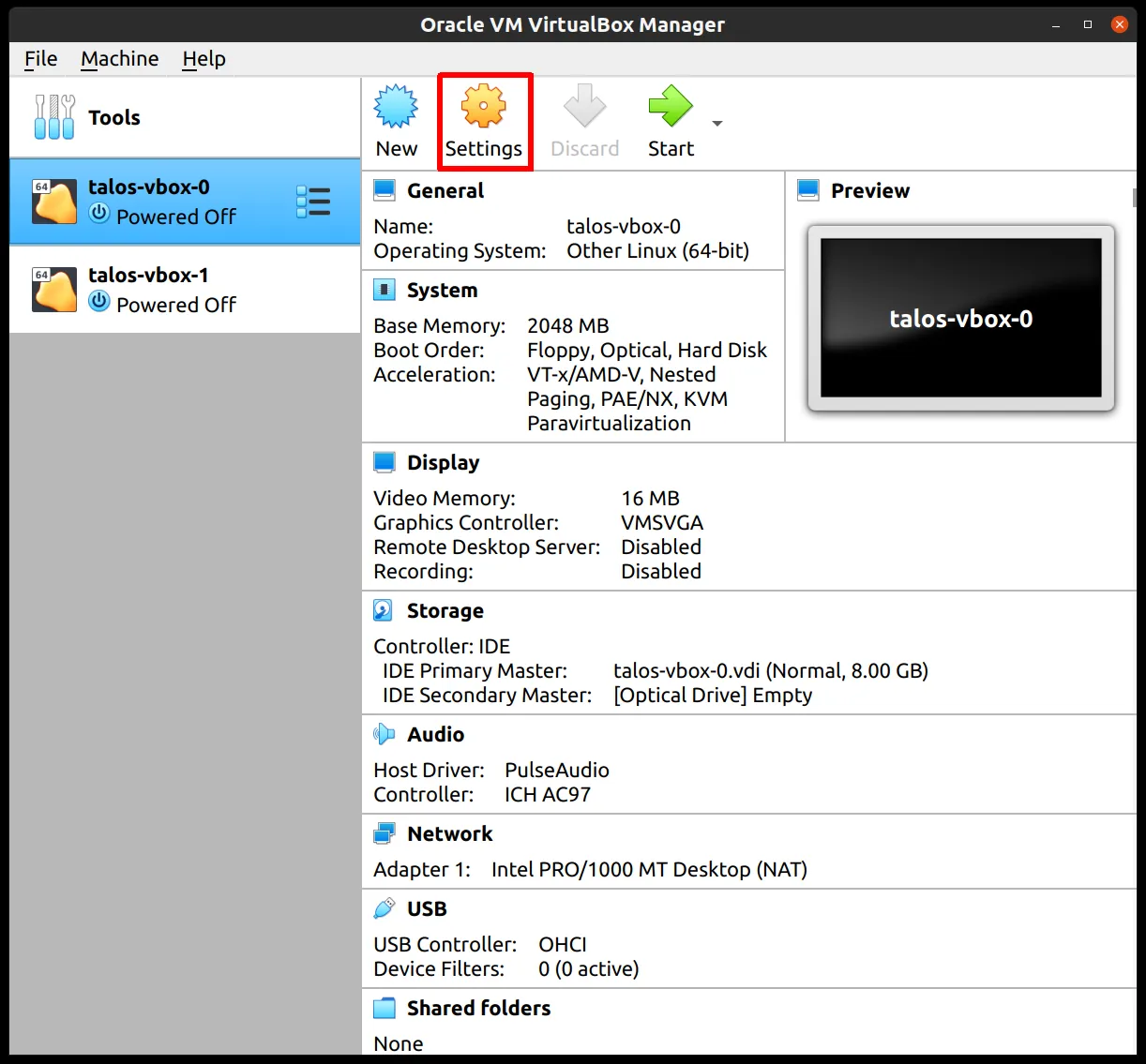
Once the VM has been created select the VM and then
settings
- In the system section, supply
1core for the host system with the remainder allocated to the vm i.e. for a six-core CPU select5
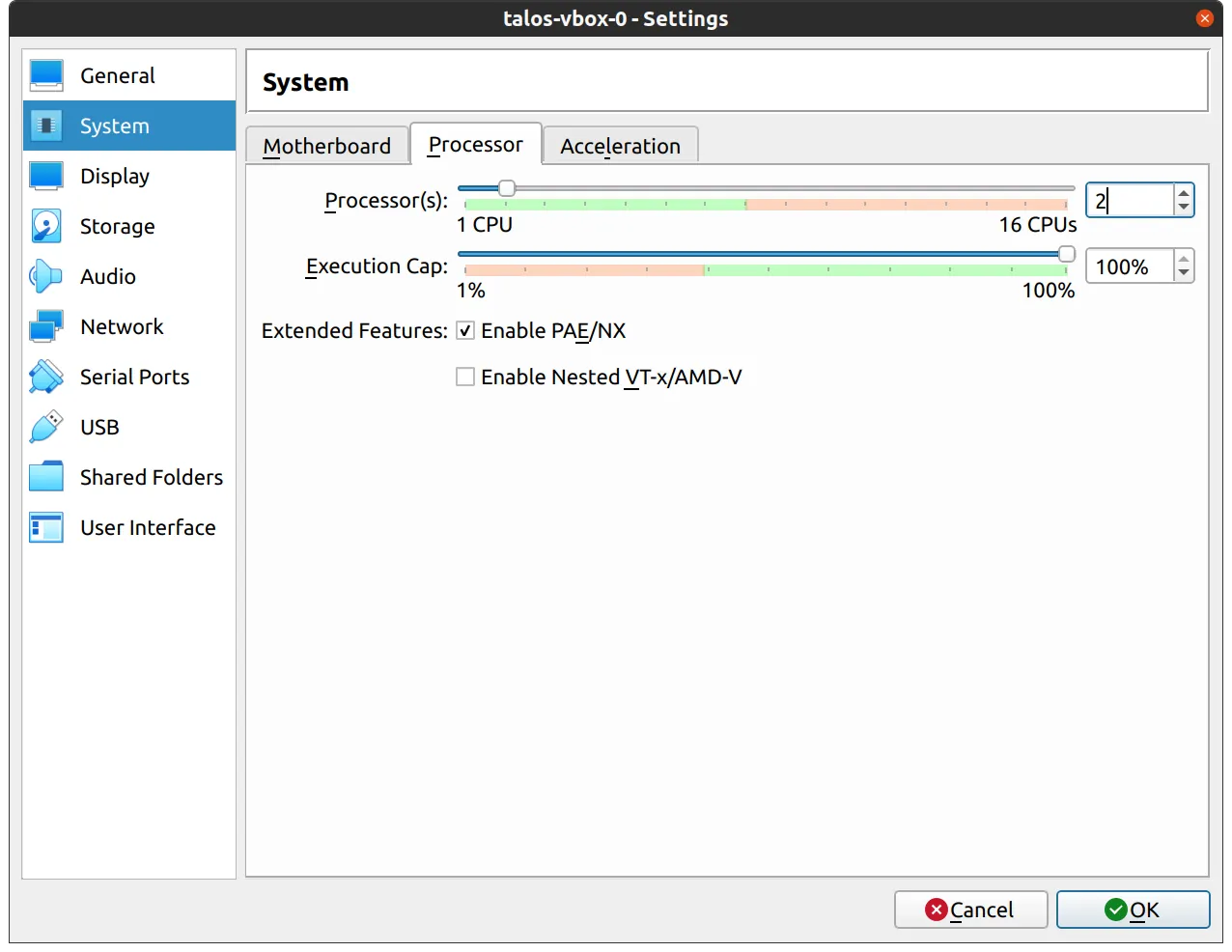
- For the
Networksection switch the networkAttached Tosection toBridged Adapter
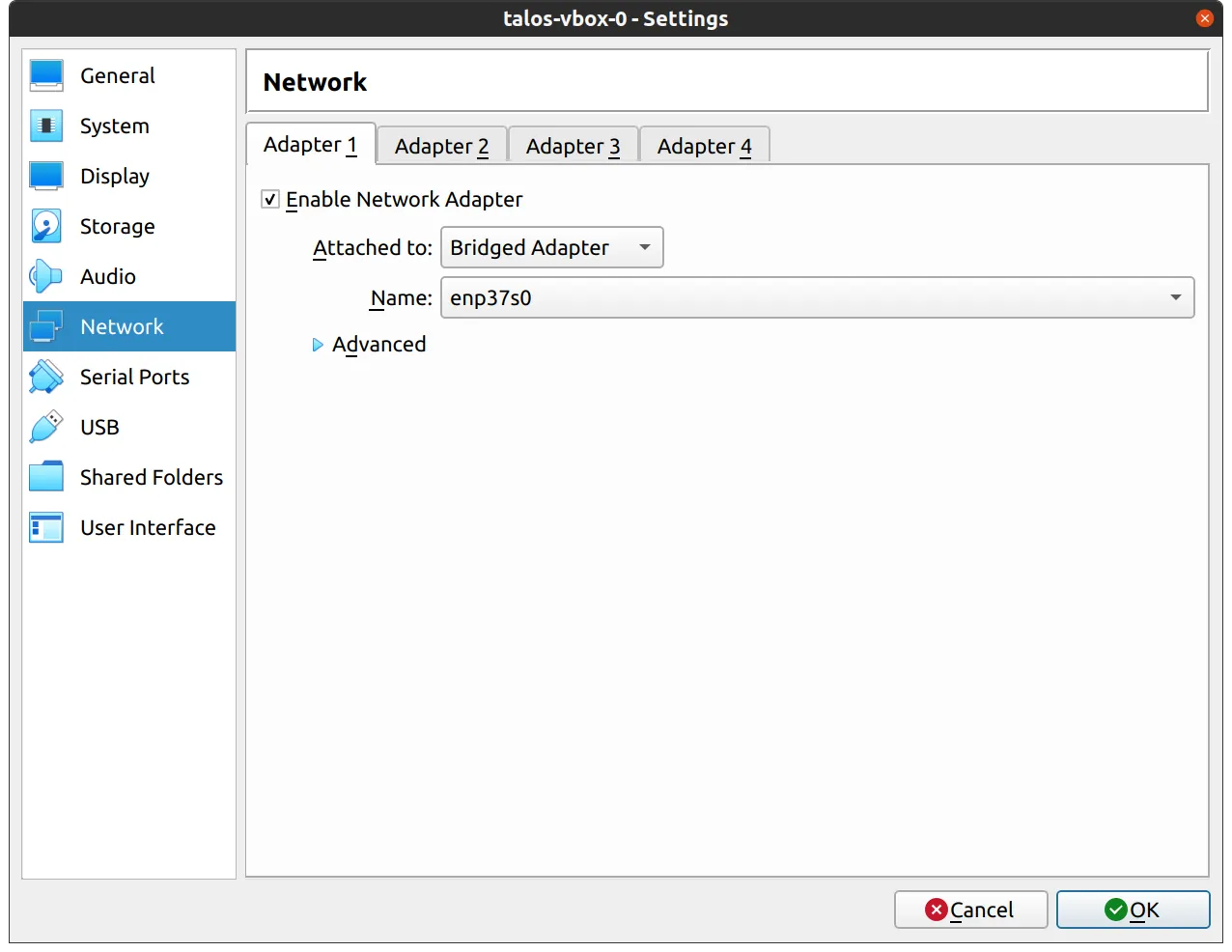
- In the
Storagesection, select the optical drive and on the right, select the ISO you downloaded earlier by browsing your filesystem
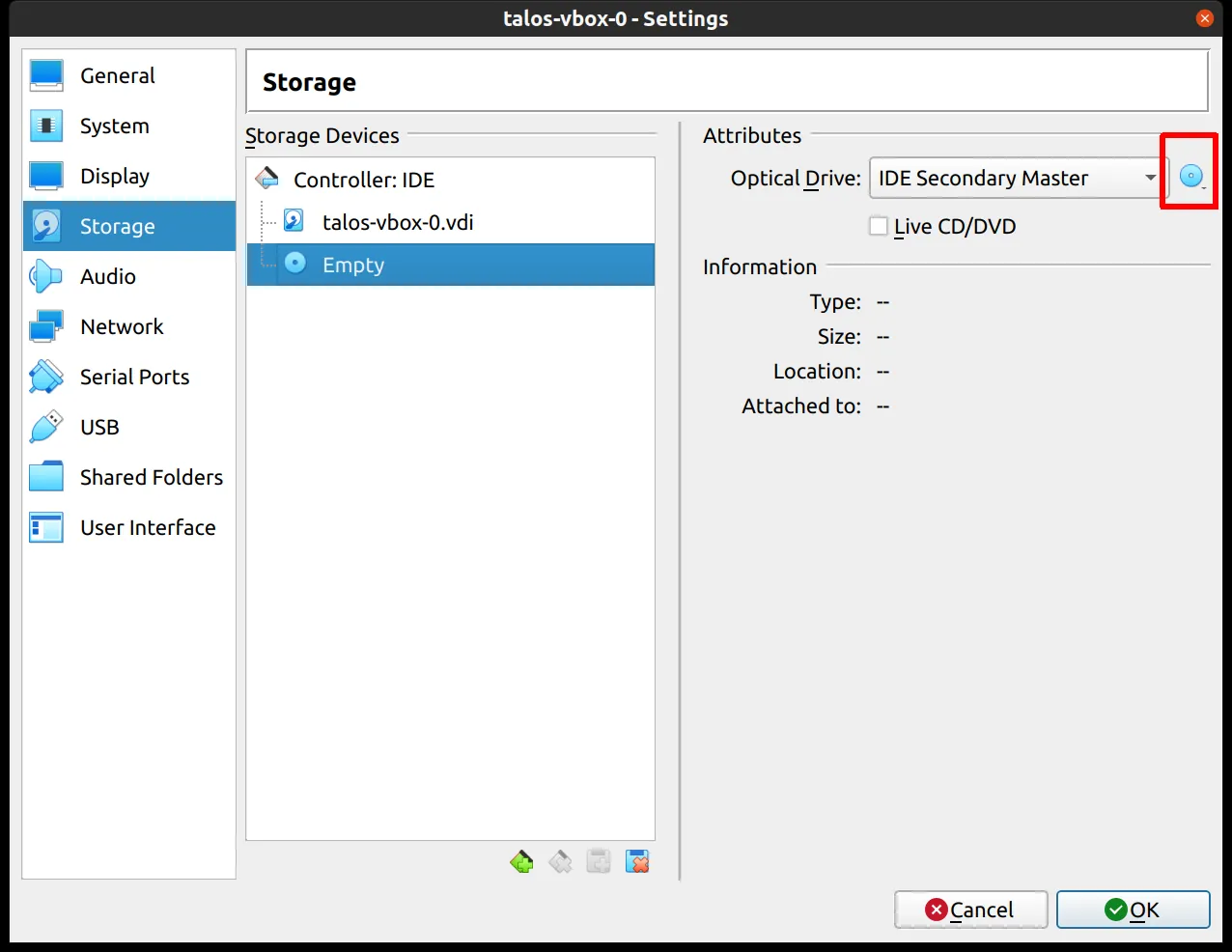
ClusterTool
Section titled “ClusterTool”By default ClusterTool installs the qemu-guest-agent extension. This is not compatible with VirtualBox and should be commented out as shown below in the talconfig.yaml file:
controlPlane: patches: - '@./patches/controlplane.yaml' - '@./patches/manifests.yaml' # - '@./patches/nvidia.yaml' schematic: customization: extraKernelArgs: - net.ifnames=0 systemExtensions: officialExtensions: - siderolabs/iscsi-tools # - siderolabs/qemu-guest-agent # Enable where needed # - siderolabs/amd-ucode # - siderolabs/bnx2-bnx2x # - siderolabs/drbd # - siderolabs/gasket-driver # - siderolabs/i915-ucode # - siderolabs/intel-ucode # - siderolabs/thunderboltworker: patches: - '@./patches/worker.yaml' # - '@./patches/nvidia.yaml' schematic: customization: systemExtensions: officialExtensions: # Enable where needed # - siderolabs/amd-ucode # - siderolabs/bnx2-bnx2x - siderolabs/iscsi-tools # - siderolabs/qemu-guest-agent # - siderolabs/drbd # - siderolabs/gasket-driver # - siderolabs/i915-ucode # - siderolabs/intel-ucode # - siderolabs/thunderbolt